


Busy mornings
See today's meals, meds, and walks in one place so care does not depend on sticky notes or memory alone.


Profiles, weight trends, meal plans, and a care calendar for up to two pets on Free, or unlimited pets with Furbuz Pro.
Vaccines, meds, walks, grooming, and vet visits with flexible once, daily, weekly, monthly, or yearly schedules.
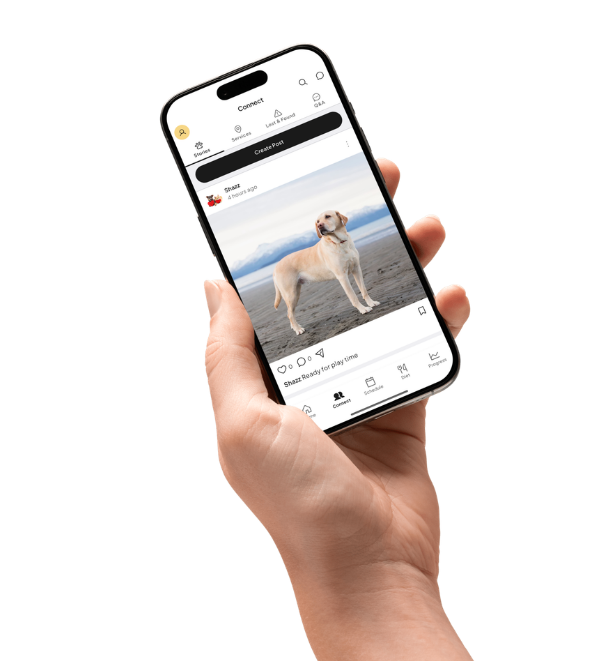
Share stories, ask questions, save posts, message other parents, and browse Lost & Found or nearby services.
New profiles start public. Switch to private anytime so only approved followers see posts, stories, and photos.
Care insights
Log weight, activity, meals, and health notes — then spot trends on your home dashboard so you never miss a change.
Just getting started
Furbuz is a new app, so we are not inventing reviews. Instead, here is how it is designed to help on ordinary — and stressful — days with your pet.
See today's meals, meds, and walks in one place so care does not depend on sticky notes or memory alone.
Post a Lost & Found alert with photos and location, then message nearby pet parents who may have seen them.
Track weight and progress, save useful stories, read care articles, and ask questions when you need a second opinion.
Built for real life
Connect is more than a feed. Share stories, list pet items, discover nearby services, and get help when a pet goes missing.
List pet-related items and message buyers or sellers in the app. Furbuz does not process those payments.
Post lost or found pets with photos, location, and contact options so nearby parents can help quickly.
Find vets, groomers, and other nearby places. Business owners can claim a listing and promote it.
Like, comment, repost, and save stories. Finish drafts later from the Connect menu.
Flag posts or profiles that do not belong in the community.
Control who can interact with you and your pet profiles.
Profiles start public. Turn on private mode so only people you approve can see your posts, stories, and photos.
Questions, answered
Set care reminders for one-time or repeating schedules. With notification permission, Furbuz can send device and in-app reminders for upcoming care.
Connect has Stories, Buy & Sell, Q&A, Services, and Lost & Found. You can like, comment, repost, save posts, and message other pet parents. Furbuz does not process marketplace payments or service bookings.
On Connect, open the menu (three lines) in the top bar. Drafts holds unfinished posts. Saved posts holds stories you bookmarked with the save icon.
Business owners can claim a nearby place in Services and pay for Sponsored or Featured placement via Stripe Checkout. After a successful payment, the promotion appears with a badge until the subscription ends or payment fails. Only one account can claim a place. If you sold the business or no longer need the claim, open that listing in Services and tap Release claim — that stops promotion billing and lets another owner claim it.
Yes. New accounts start public. In Profile settings, turn on private mode so only approved followers can see your posts, stories, and photos. Follow requests are accepted or declined by you.
If you grant permission, Furbuz uses location to support nearby Lost & Found alerts and service discovery. You can change location permission in your device settings.
Open Settings in Furbuz and choose Delete Account, then confirm. Deletion is scheduled with a grace period so you can cancel if needed. Full steps, data removal, and retention details are at https://furbuz.com/account-deletion/
Start free on iOS and Android. Download Furbuz and give your pets better care today.
Free to download · Compare plans at furbuz.com/plans · Pro pricing is shown in the app